HBO-ICT Logo

Self-evaluation

Take a moment for yourself: where do you actually stand right now? What have you already learned, and where do you still want to go? A self-evaluation is your moment to pause and look at your own development. This is not about what others think, but about what you see yourself and where you want to grow.
By regularly reflecting on where you stand, you get a clearer view of what you already do well and what you still want to improve. It helps you work purposefully towards your learning goals and look ahead to what you still want to learn.
In Portflow you create a self-evaluation and discover where you stand and where you want to go by assessing all learning outcomes yourself .

Why a self-evaluation?

A self-evaluation helps you to:

Get a clear overview of where you stand in relation to the learning outcomes.
Reflect on what you have learned and what you still want to develop.
Give your teachers insight into how you assess your own progress.
Identify learning goals you still want to work on.

Create a self-evaluation

You create a self-evaluation in Portflow by creating a 'Progress Review request', but instead of selecting a reviewer you choose to do a 'self review'.

To create a self-evaluation, follow these steps:
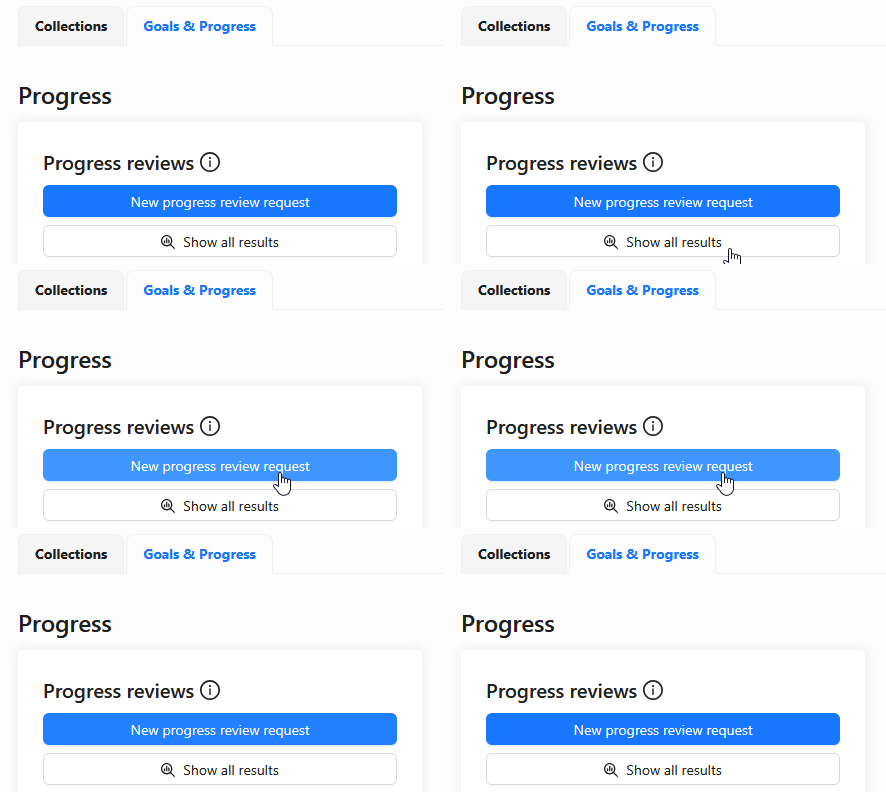
Go to the Portflow homepage and click the 'Goals & Progress' tab.
Click the 'New progress review request' button.
Portflow Progress Review Request
Select all learning outcomes (goals) that are relevant for the semester.
Give your Progress Review request a suitable name, for example 'Progress evaluation 1'.
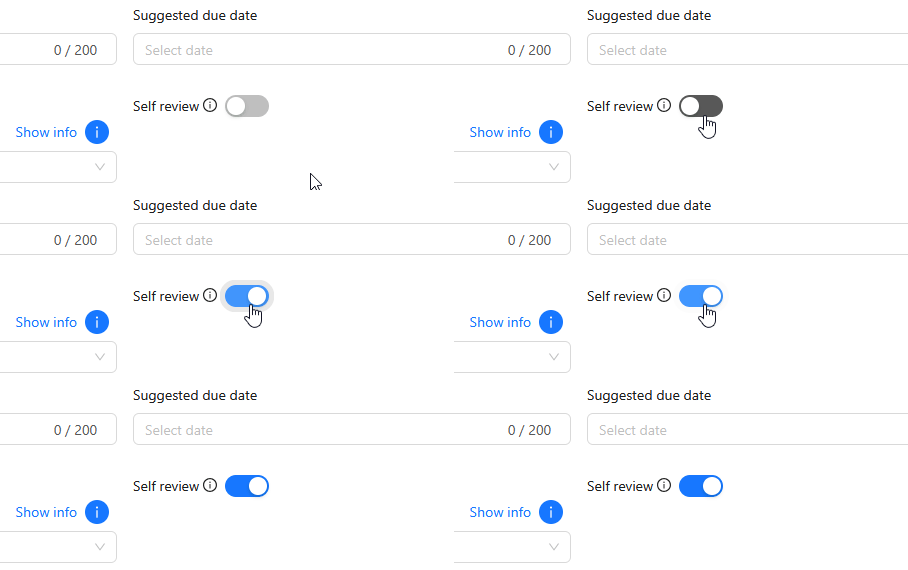
Instead of selecting a reviewer (teacher), choose the 'Self review' option.
Portflow Progress Review Self Review
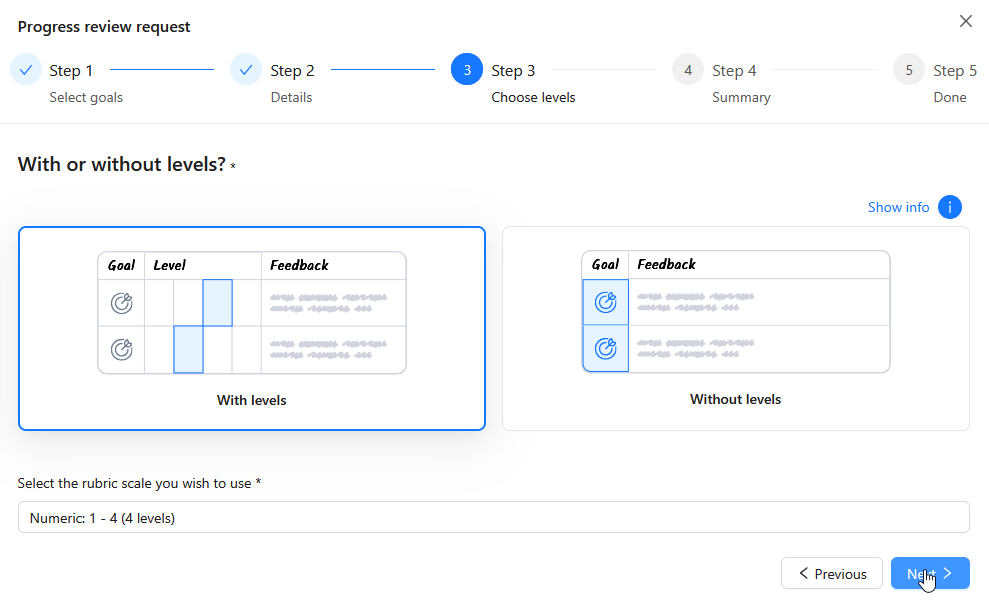
Always select that you want to give an assessment with a scale, and always choose the scale 'Numeric 1 - 4 (4 levels)'.
Portflow Progress Scale 1 - 4

You can now start assessing yourself on the selected learning outcomes.

Assess your self-evaluation

Just like teachers do for your learning outcomes when filling in the 1–4 rubric, you will now assess yourself on the selected learning outcomes. Use this as a chance to reflect on what you have learned and what you still want to develop.

Proceed as follows:

Go through every learning outcome (goal) in the self-evaluation, look up what the learning outcome means and what is expected of you. You can find this information in DLO for the semester you are working on.
For each learning outcome, check whether you have included the evidence items that are relevant for this learning outcome in your Portflow portfolio, in the correct collection.
Have you done almost nothing on the learning outcome yet? Then choose 1/4 on the rubric scale.
Have you worked on it but not yet been able to demonstrate all parts of the learning outcome? Then choose 2/4 on the rubric scale.
Have you managed to demonstrate the full learning outcome? Then choose 3/4 on the rubric scale.
Have you gone beyond what is expected for the learning outcome? Then choose 4/4 on the rubric scale.
For each learning outcome, write in the feedback field what you have done with it so far and what you concretely plan to do next.
Once you have gone through all learning outcomes, you can sketch a general picture of your progress in 'General feedback'. Include how you experienced the past period while working on the learning outcomes.
Everything filled in? You can now finish the self-evaluation by clicking 'Submit review'. After that, changes are no longer possible.

While you fill in the self-evaluation, your answers are automatically saved as a draft. As long as you have not finished the review, you can return via your notifications in Portflow and click 'Start progress evaluation'.

Self-evaluation