
HBO-ICT Logo

Assessment committee

To allow an assessment committee to assess your work, it is important that you prepare your portfolio carefully and submit it. In Portflow you do this by creating a snapshot and submitting it. Create & submit a snapshot .

Submit your portfolio for the assessment committee

Complete all steps, from creating a snapshot to submitting it in DLO, to hand in your portfolio for the assessment committee.

Create a snapshot

Create a new snapshot of your portfolio. Make sure you include the following:
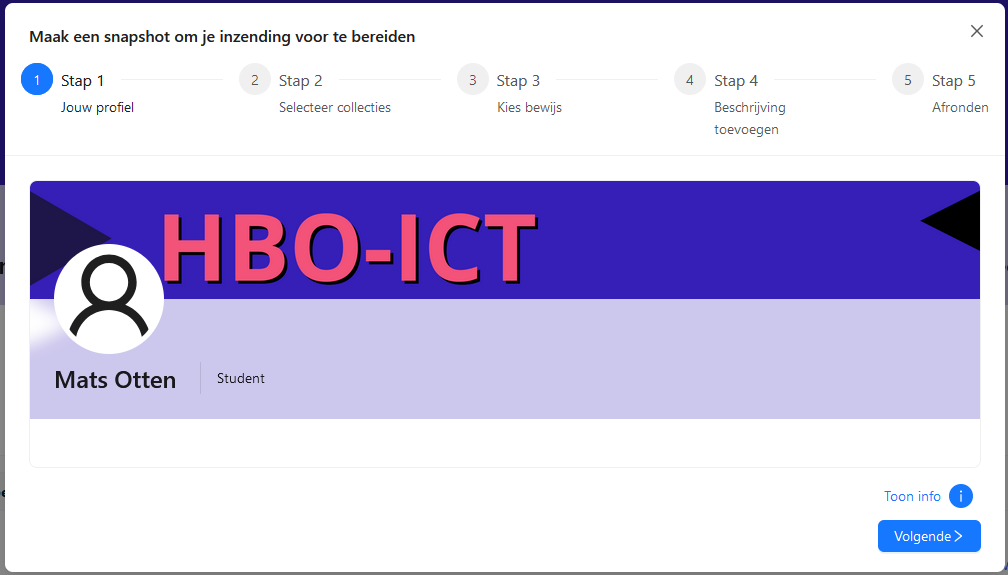
Select all collections of the semester, even if they contain no evidence.
Then choose all evidence items in these collections; do not make a selection, choose everything.
Give your snapshot a recognisable name so you can find it easily later. Include the name of the course and the period, for example: "Portfolio HBO-ICT foundation year - Semester 1 - 2025 - 2026".
Create a snapshot

Submit a snapshot

In the DLO environment of the course unit you can submit your snapshot under 'Assignments'. Do this on time and follow your teacher(s)' instructions.
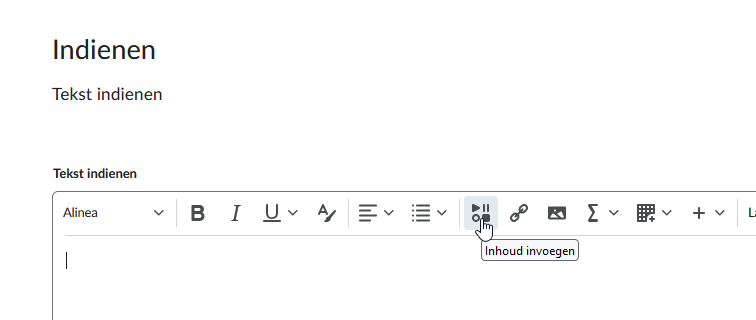
Go to the DLO environment of the course unit.
Click through to 'Assignments'; there you will find the assignment for submitting your portfolio; open it.
Scroll down until you see the 'Submit text' field.
Click the 'Add content' button.
Then choose 'Portflow' in the window.
Select the snapshot you created earlier and click 'Insert'.
Click 'Submit' to complete your submission.
Submit a snapshot

You have now submitted your portfolio for the assessment committee. Now it is a matter of waiting for a good assessment.

Assessment committee