Gathering feedback
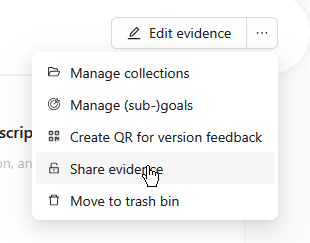
Your Portflow portfolio largely consists of collections with evidence, but to learn and grow, feedback from others is also very important and even a requirement for your portfolio. You can ask for feedback from other students, student assistants or teachers. A fellow student can also give very valuable feedback; do not underestimate this. It is then important that you yourself write down the feedback . Then link the feedback to the relevant success criteria . Always let the feedback giver validate that your interpretation of the feedback is correct. Make sure that person has access to the evidence item via Sharing Evidence . Feedback is always linked to the version of the product.
Ask for feedback
To find out where you stand and what you can improve, feedback from others is very important. You also want to gather feedback regularly, not only when the product is finished (for ICT students a product is often never fully finished).
The approach is as follows:
Write down feedback
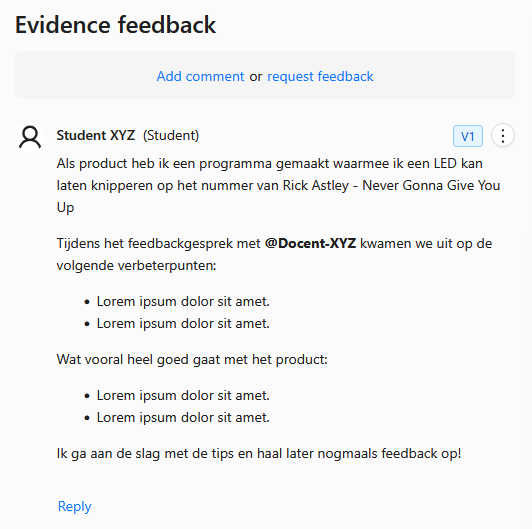
You write feedback down yourself so you can show what you learned from the feedback you received. It is important that you describe the product, the feedback you received (tips and tops!) and any follow-up actions you will take.
Always use the 'Add Comment' option to write feedback next to an evidence item.
Link feedback to success criteria
Every time you receive feedback on a product, link that feedback to sub-goals. Sub-goals are the success criteria: they show concretely what the feedback is about. Keep the number of sub-goals as small as possible and only choose the sub-goals that best fit the feedback.
Cannot link the feedback to a sub-goal? Then link the feedback to a goal (learning outcome). Do not link to both a goal and sub-goals at the same time: focus on success criteria.
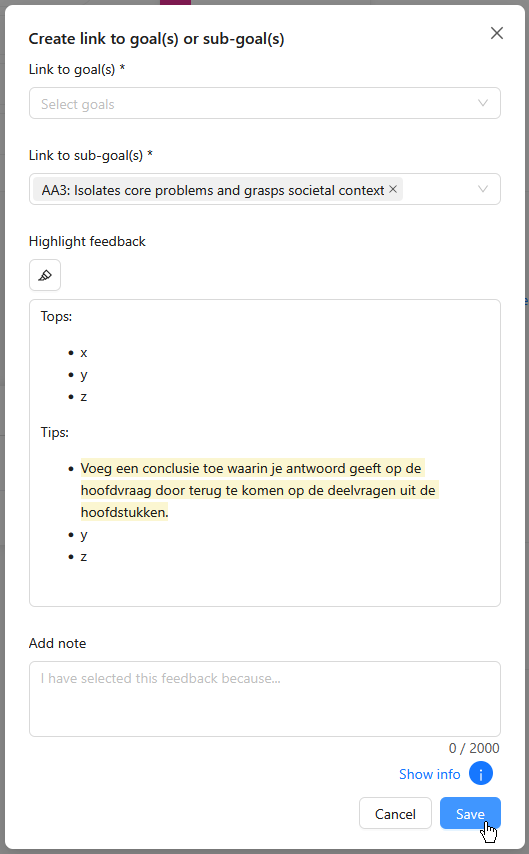
Does the feedback cover multiple success criteria? Highlight the relevant part of the feedback each time and link that separately to the corresponding sub-goal.
Validate feedback
After you have written down the feedback and linked it to the right (sub-)goals, send a 'Request Comment Validation' to the person you received feedback from. They will get a notification and can check whether you recorded the feedback correctly.
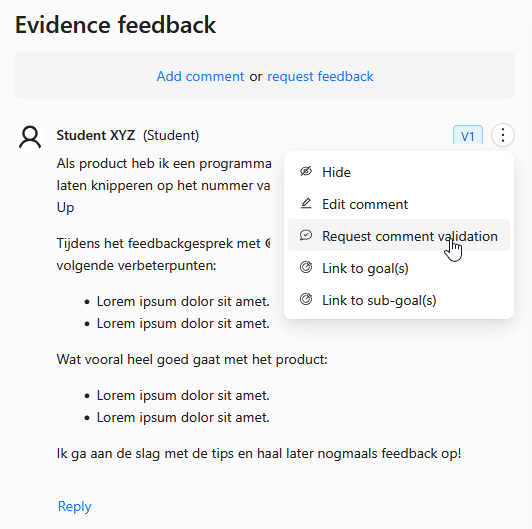
To close the feedback cycle it is important that the feedback giver (and especially teachers) still approves that the feedback you wrote down is correct. Optionally, a reply can be given to the feedback you recorded.

Sharing Evidence
For the feedback giver to validate your feedback, they need access to the evidence item. Teachers already have full access to your portfolio, so you do not need to share anything extra with them.
For others, such as classmates or student assistants, share that evidence item with the person who gave the feedback. Only give access for a short time, for example about a week.