Collecting evidence
Evidence items are the products you create during your studies. These can be reports, presentations, videos, photos, websites, apps, and so on. You add them to your portfolio to show what you have made and what you have learned. Depending on the type of evidence it is useful to check how you should add it. Give each evidence item a clear name . After creating an evidence item you will want to add a description, reflection, analysis, and so on, so add a description to the evidence item. You will also link evidence to learning outcomes. Optionally, when you work with different versions of an evidence item, you can add a note to the version.
Add evidence
You can add different types of evidence to your Portflow portfolio. When you choose to add evidence you get several options. You can add new evidence via the 'My Evidence' tab or from a collection.
Types of evidence
Evidence can come from different sources. Think of programmed code, written research, presentations, videos, photos, websites, apps, and so on.
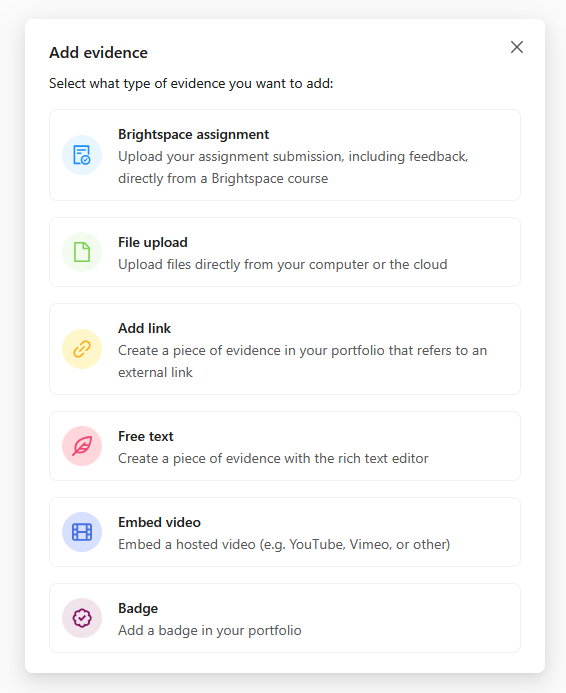
Brightspace assignment
Add link
Free text
Naming evidence
Give each evidence item a clear name that reflects your work well, for example 'Research report How can it be that sunflowers grow towards the sun?'. Someone viewing your portfolio should immediately understand what the evidence item is about.
One piece of work belongs in one evidence item. Do not create multiple evidence items for the same work, such as separate photos alongside each other. Bundle your work in one evidence item instead, for example a markdown document with context and the related photos.
Do not use version numbers in the name, such as 'Research X v1', 'v2' or 'v3.3'. Keep the name the same and use Portflow's versioning system when you add a new version.
Describe evidence
For yourself later on, for your teachers, or for the assessment committee at the end of the semester, it helps to guide a reader through your evidence. That is why it is important to give a clear description of your evidence item. You can do this under 'Evidence description'.
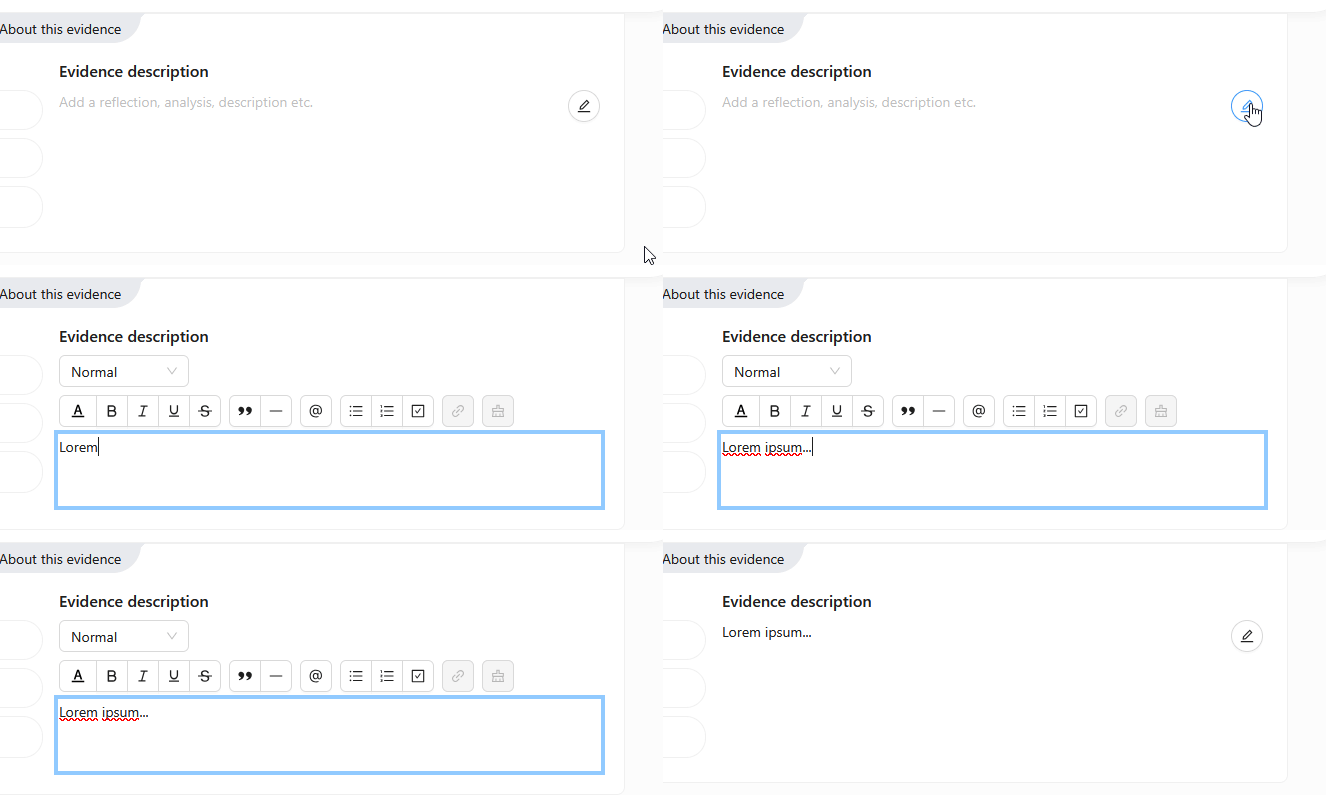
Write about the evidence item: what you made, why you made it, and what you learned from creating it. This is also a good place to reflect on your work and to show what you have learned.
Link evidence to learning outcomes
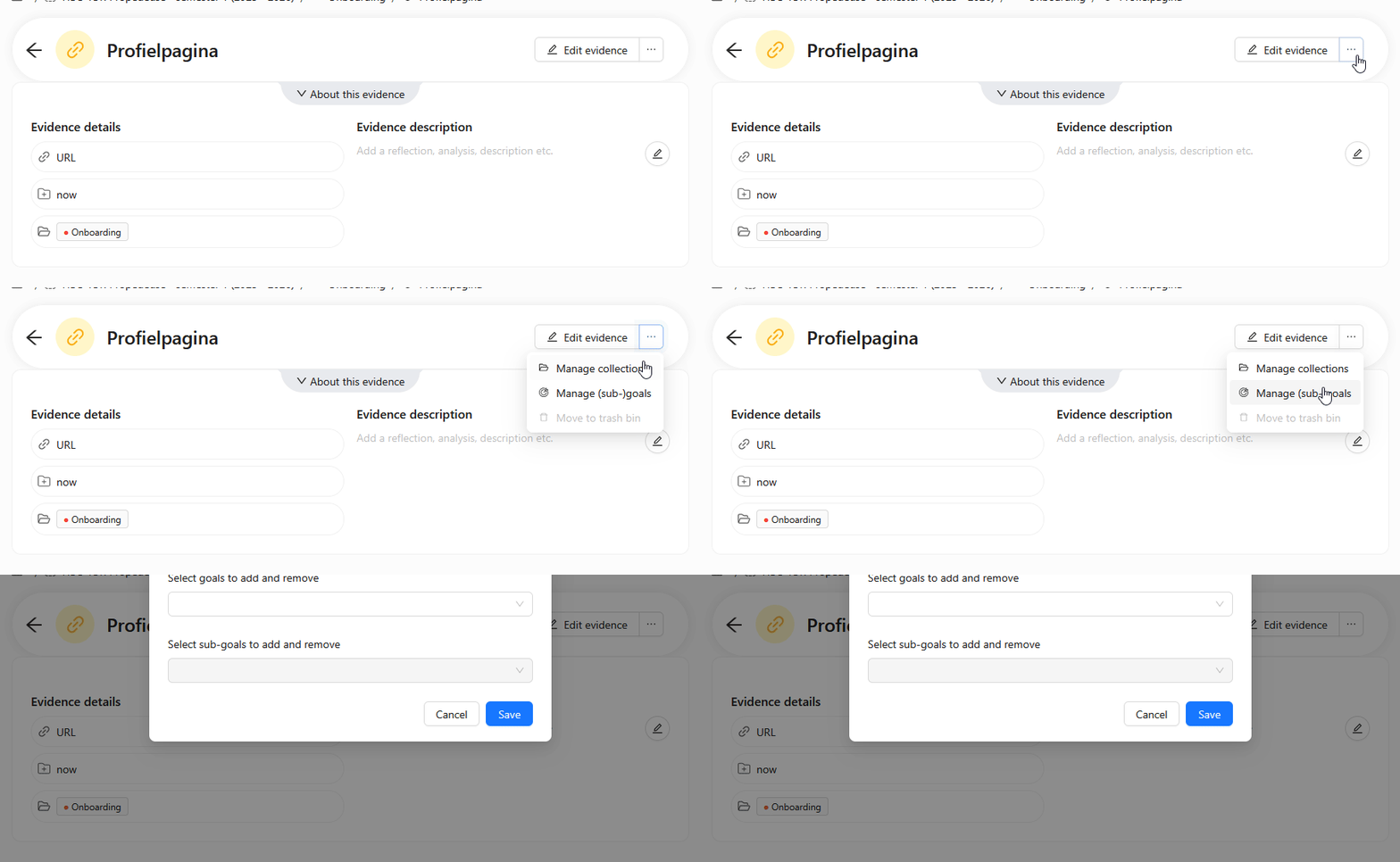
In Portflow you collect evidence to show where you stand in relation to the learning outcomes. That is why it is important to link evidence to these learning outcomes (goals). You can link an evidence item to one or more learning outcomes; ask your teachers if you are unsure which learning outcomes to link it to.
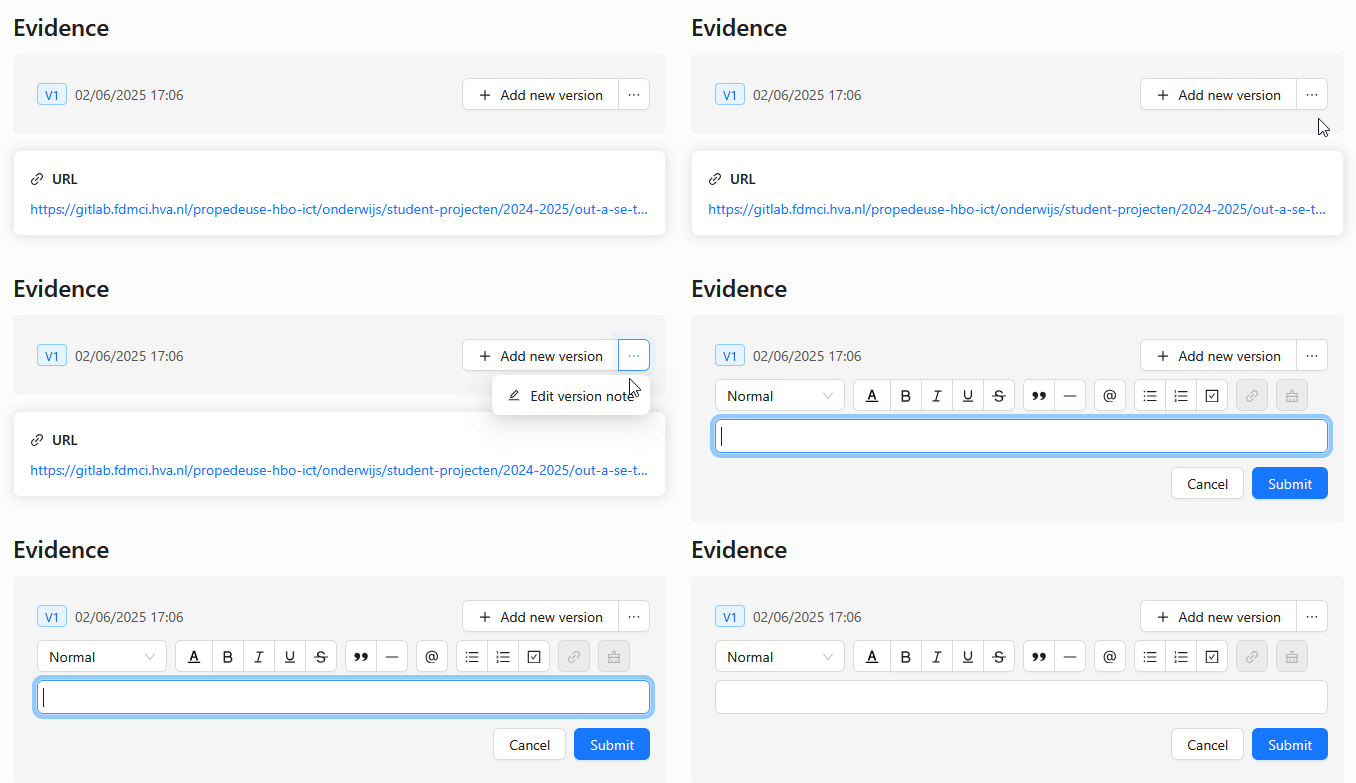
Add a note to evidence
In Portflow you can update evidence items, which creates a new version of the evidence. To clearly explain these updates it is important to add a note to the new version. Go to the evidence item and, behind the 'Add new version' button, choose 'Edit version note'.